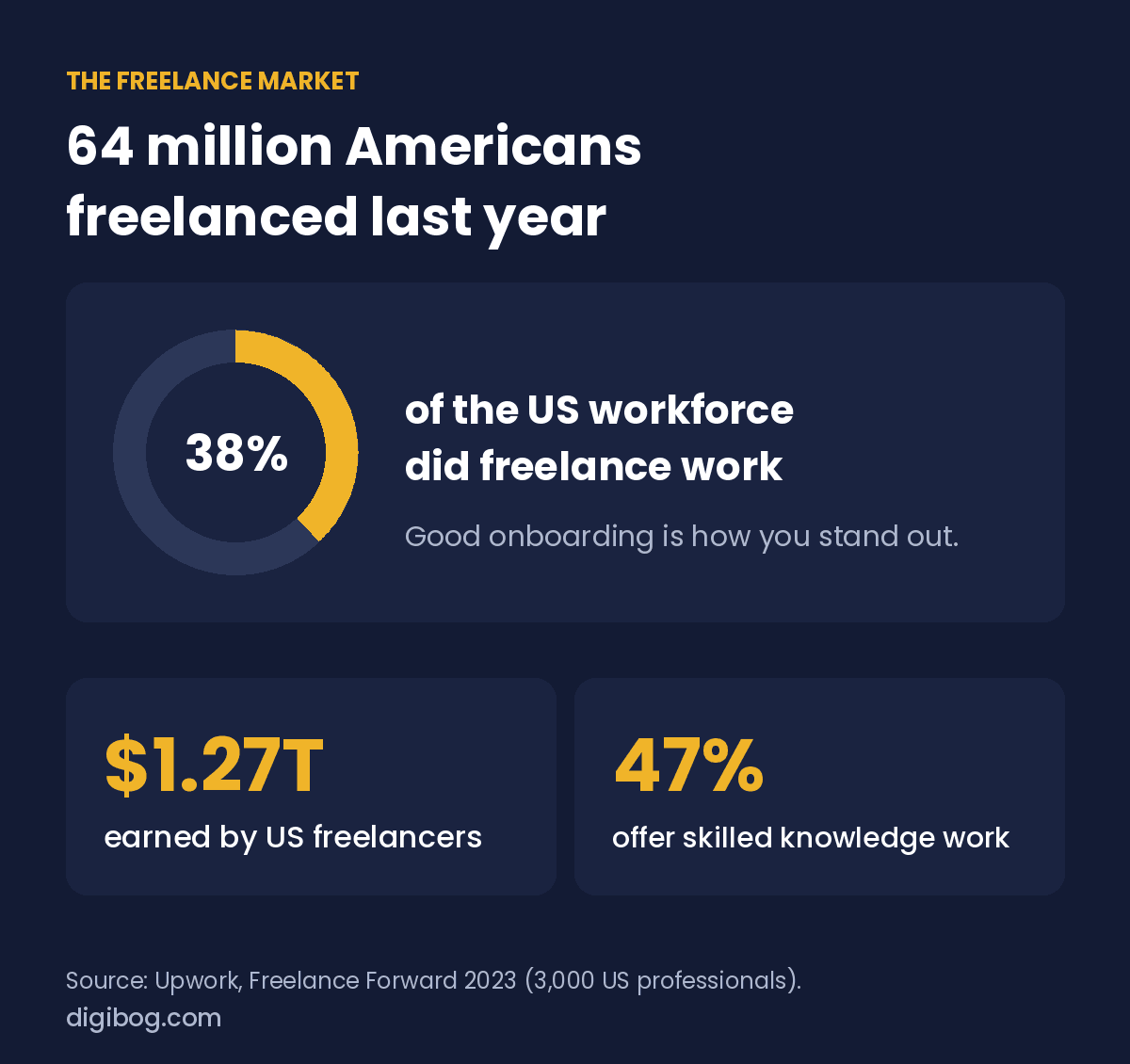
First impressions matter, and in freelancing they happen before a single deliverable is produced. They matter more because the market is crowded: Upwork’s Freelance Forward 2023 found that 64 million Americans, 38% of the US workforce, did freelance work in the past year, earning $1.27 trillion between them, and 47% of them offered skilled knowledge work. Your client had choices.
Yet most freelancers pour their energy into winning the client, then drop the ball the moment the contract is signed. A disorganized start breeds doubt, and doubt leads to cancellations, scope creep and zero referrals.
A solid client onboarding process fixes that. In a market that size, it is one of the few things a client can judge on day one, and it tells them they made the right call hiring you. Here is how to build one in five simple steps.
What Is Client Onboarding and Why It Matters
Client onboarding is everything that happens between “yes, I’d like to hire you” and the actual start of work. It covers your welcome communication, contracts, payment, project setup, and the first call. Done well, it creates clarity, trust, and momentum.
Clients who feel confident in their freelancer early on are more likely to come back for future projects and to refer others. That is common sense more than a statistic, but with 64 million freelancers to choose from, it is often what sets you apart. Strong freelance client management isn’t just about doing good work — it’s about making the entire experience feel professional, smooth, and reassuring from the very beginning.
Step 1: Send a Welcome Email the Same Day
The moment a client says yes, the clock starts. Send a welcome email the same day, ideally within an hour of signing, and never later than 24 hours. This sets an immediate professional tone and reassures the client that they’re in capable hands.
Your welcome email should include a brief thank-you, a summary of next steps, and a timeline for what they can expect. Keep it warm but concise. Attach or link to any intake forms you need them to fill out before the kickoff call. A clear, prompt welcome email is one of the simplest ways to stand out as a professional freelancer.
Step 2: Share Your Contract and Get It Signed
Never start work without a signed contract — full stop. A contract protects both you and your client by defining the scope, timeline, payment terms, and revision limits. It removes ambiguity and prevents the kind of misunderstandings that derail projects.
Keep your contract straightforward and jargon-free. Clients shouldn’t need a lawyer to understand it. Tools like DocuSign, Dropbox Sign (formerly HelloSign) or even a simple PDF make signing quick and painless. If you don’t have a contract template yet, that’s a gap worth closing immediately — it’s one of the most critical freelancer templates you’ll ever use.
Step 3: Collect a Deposit Before Starting
Collecting a deposit upfront is standard practice among professional freelancers, and for good reason. It filters out uncommitted clients, compensates you if a project is cancelled, and ensures you’re not financing someone else’s project with your time.
A 25–50% deposit is common, though some freelancers charge more depending on the project type. Make it a non-negotiable part of your process. When clients push back, that’s useful information. Frame it confidently — this is how professional freelance client management works, and serious clients will respect it.
The templates behind a smooth onboarding
The Freelancer Starter Kit is five professional templates for landing clients, getting paid on time and protecting the work — the paperwork that turns five good steps into a repeatable process.
See the kitInstant download · unlimited downloads · no expiry · one payment, no subscriptionStep 4: Schedule a Kickoff Call
Once the contract is signed and the deposit is received, schedule a kickoff call. This is your opportunity to align on goals, confirm the timeline, clarify deliverables, and establish how you’ll communicate throughout the project.
Come prepared with an agenda. Ask questions. Listen carefully. The kickoff call isn’t just a formality — it’s where you build the working relationship and surface any assumptions before they become problems. Clients who feel heard at this stage are far easier to work with throughout the project.
Step 5: Set Up a Shared Workspace
Create a dedicated shared space for the project before your kickoff call, so you can walk the client through it on the call. This could be a Google Drive folder, a Notion page, a Trello board, or any tool that works for both of you. The key is having one central place for files, feedback, and communication.
A shared workspace eliminates the chaos of scattered email threads and lost attachments. It signals that you’re organized and that the client’s project is being handled with care. Add your contract, project brief, timeline, and any relevant assets on day one — then keep it updated throughout the engagement.
Client onboarding checklist at a glance
With 64 million Americans freelancing, clients have choices, and a smooth start is one of the few things they notice on day one. Here is the whole client onboarding checklist on one screen, in the order you do it. To keep everything in one place afterwards, see how to stop juggling apps and our list of digital tools for small business.
| Step | When | What the client gets |
|---|---|---|
| Welcome email | Same day, within the hour if you can | What happens next, and who to contact |
| Contract | Before any work | Scope, price, deadlines in writing |
| Deposit | Before starting | A clear invoice and payment link |
| Kickoff call | Day 2 to 3 | Goals, questions, first milestone |
| Shared workspace | Before the kickoff call | One place for files and updates |
A two-week onboarding timeline
A client onboarding checklist works better when it is tied to days rather than to a list. Here is the shape most service businesses can copy directly.
| When | What happens | Why then |
|---|---|---|
| Within an hour of signing | Welcome email, invoice, what happens next, one named contact | Buyer’s remorse peaks immediately. Silence feeds it. |
| Day 1 | Intake form or questionnaire, with a deadline | Asking while enthusiasm is high gets better answers than asking later |
| Day 2–3 | Kickoff call, 30 minutes, agenda sent beforehand | Long enough after intake to have read it, early enough to feel prompt |
| End of week 1 | First visible deliverable, however small | Something tangible before the first invoice feels overdue |
| Week 2 | Short check-in: what is working, what is unclear | Catches misunderstandings while they are still cheap to fix |
The first row does most of the work. A client who hears nothing for three days after paying starts building a story about what kind of supplier you are, and it is rarely a flattering one.
Frequently asked questions
How long should onboarding take?
From payment to first deliverable, aim for under a week. The exact length matters less than whether the client always knows what is happening next and roughly when.
Should onboarding be automated or personal?
Automate the predictable parts: the welcome email, the form, the reminders. Keep the kickoff conversation human. Automating that one saves twenty minutes and costs you the relationship.
What if the client does not fill in the intake form?
Chase once, then offer to fill it in together on a call. Non-response is usually not rudeness. It is a form that felt long, or arrived at a bad moment, or asked questions they were not sure how to answer.
Do I need a contract for small projects?
Something in writing, yes, even if it is a short email that both sides confirm. Scope, price, timeline, what happens if either side stops. Most disputes on small projects are about scope nobody wrote down.
When should I ask for a testimonial?
At the moment of visible success, not at the end of the engagement. If something lands well in week three, ask in week three. By the final invoice the feeling has faded and you get something generic.
You’re Ready to Onboard Like a Pro
A strong client onboarding process for freelancers doesn’t have to be complicated. Send the welcome email the same day, get the contract signed, collect the deposit, set up a shared workspace, and run the kickoff call. That’s the client onboarding checklist — five steps that transform a “yes” into a smooth, professional project launch.
The hardest part is building the templates and systems from scratch. That’s exactly why DigiBog created the Freelancer Starter Kit — a ready-to-use collection of professional freelancer templates including a proposal, contract, and invoice, designed specifically for freelancers who want to look polished without spending hours on admin.
Get the Freelancer Starter Kit and onboard your next client without building a single template from scratch.
About the author. Written by Said Sihame, founder of DigiBog. I make the planners, workbooks and checklists sold on this site, and these articles come out of the same work. Everything here is what I use and test myself — take what fits and leave the rest.