Running a small business means wearing a lot of hats: marketer, accountant, project manager, and sometimes your own IT department. Without the right systems in place, things slip through the cracks fast.
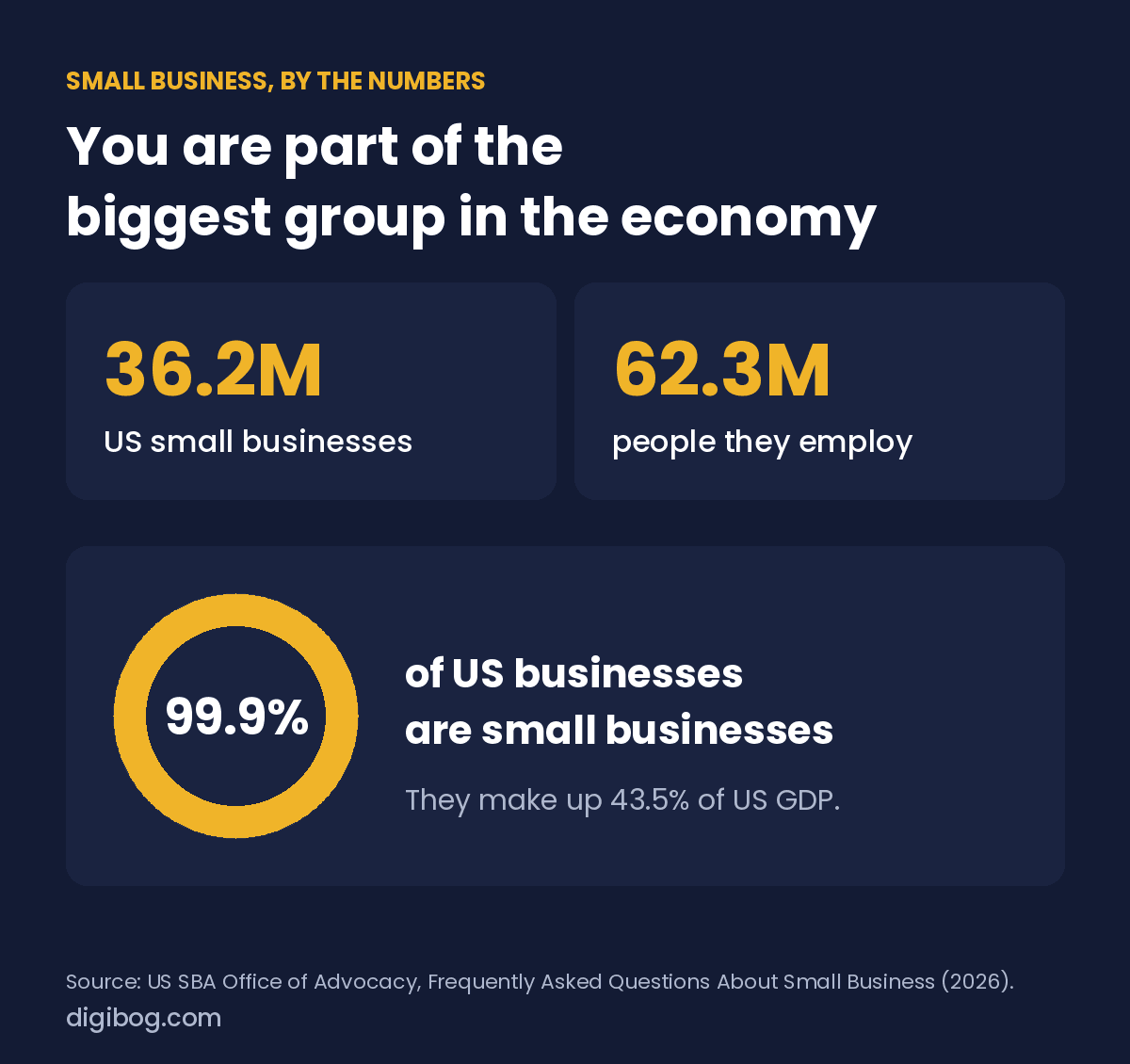
You are in very large company. The SBA Office of Advocacy counts 36.2 million small businesses in the US, 99.9% of all businesses in the country. Together they employ 62.3 million people and produce 43.5% of US GDP. Most of them do not run on expensive software. They run on a few simple systems, used consistently.
You do not need a big budget or a team of ten to stay on top of it all. The right digital tools for small business owners help you work smarter, look more professional and free up the mental space to actually grow. Here are five worth having in your corner in 2026. Each one is a planning tool, and each replaces a habit most owners rely on by accident.
1. A Business Plan Template
If your business plan only lives in your head, it is not really a plan, it is a wish. A written business plan forces clarity. It makes you define your goals, your target customer, your revenue model and your competitive edge.
A solid business plan template takes the intimidation out of the process. Instead of staring at a blank page, you fill in sections that prompt the right thinking: your mission, your services, your pricing and a 12-month financial projection. Revisit it every quarter.
2. A Weekly Planner
Entrepreneurs are known for working long hours without moving the needle. A weekly planner changes that by helping you pick your top priorities before the week starts, not after it ends.
Time-blocking costs nothing except a little discipline. Block time for client work, admin, marketing and rest, and treat those blocks like meetings you cannot cancel. A structured week creates the kind of focused momentum that busy-work never will, and for freelancers especially, it is the habit that separates a sustainable business from constant burnout.
3. A Client Onboarding Checklist
First impressions set the tone for the whole client relationship. A smooth, professional start tells your client they made the right choice hiring you.
A client onboarding checklist makes sure nothing falls through the cracks: the welcome email, the signed contract, the deposit, the kickoff call and a shared workspace. When a new client feels looked after from day one, they are more likely to refer you, leave a good review and come back for more.
4. A Social Media Content Calendar
Consistency on social media beats frequency. Posting three times a week, every week, will outperform a burst of daily posts followed by two weeks of silence. But consistency needs planning.
A social media content calendar lets you map out a whole month of content in one sitting. You decide the topics, the formats and the posting days, then you simply execute. No more “what do I post today?” anxiety. If you want the exact process, we walk through it in how to plan a month of social media in one hour.
5. A Budget Tracker
You cannot grow what you do not measure. A budget tracker gives you a clear picture of what is coming in, what is going out and where your money actually goes each month.
Many owners avoid their numbers because looking feels stressful, but flying blind is far more stressful. A good budget tracker does not need to be complicated, only consistent. Track your revenue, fixed expenses, variable costs and profit margin. It is a planning tool, not your bookkeeping: invoicing and accounts still belong in a dedicated app, as covered below.
Five tools, or one bundle that covers the same ground
The Business Starter Bundle brings together five essential tools for launching and running a small business, as fillable PDFs — one payment instead of five subscriptions that renew whether you open them or not.
See the bundleInstant download · unlimited downloads · no expiry · one payment, no subscriptionDigital tools for small business: what each one replaces
Here is what each of the five tools above replaces, side by side. For the bigger picture, see how to run your business from one place.
| Tool | Replaces | Best for |
|---|---|---|
| Business plan template | A blank page and guesswork | Starting or pivoting |
| Weekly planner | Sticky notes and memory | Keeping the week on track |
| Client onboarding checklist | Ad-hoc emails to each client | Freelancers and service businesses |
| Social media content calendar | Posting when you remember | Staying consistent |
| Budget tracker | Checking the bank app and hoping | Knowing your real numbers |
Beyond the five: what to look for in the apps you pay for
The five tools above are planning tools. Every business also runs on a few apps underneath them: something to get paid, something to keep track of people, somewhere to store your work, a way to book time and a place to write. The specific product matters less than knowing what job it has to do, so use this as a shopping list rather than a shortlist.
| Category | What matters | What to ignore |
|---|---|---|
| Getting paid | Works in your country, sends reminders automatically, exports for your accountant | Dozens of currencies you will never invoice in |
| Keeping track of people | Search that actually finds things, notes attached to a person, no per-seat pricing while you are alone | Pipeline automation for a sales team you do not have |
| Storing your work | Sync that survives a lost laptop, sharing that does not require an account | Unlimited storage. You will not use it. |
| Scheduling | Timezone handling, buffer time, a booking link you can paste anywhere | Team round-robin routing |
| Writing and publishing | Exports to a normal format, works offline, does not lock your text inside it | AI features bolted onto a text box |
One rule beats every feature comparison: pick the tool you can leave. If getting your data out is hard, you are not choosing a tool, you are signing a contract.
Frequently asked questions
How many tools does a small business actually need?
Usually five or fewer. Each tool costs money, attention and one more password. Add a new one only when the pain of not having it is something you noticed this week, not something you read about.
Free or paid?
Free is fine for anything you could walk away from tomorrow. Pay for anything holding your money, your client records or your files. Free tiers on critical systems tend to become expensive exactly when you are busiest.
Should I use one all-in-one platform instead?
It depends on how well the pieces you actually use are built. An all-in-one where two features are excellent and four are mediocre is fine if you only need the two. Trouble starts when you shape your business around the mediocre four.
How do I know when a tool is holding me back?
When you have built a workaround, and then a workaround for the workaround. That is the signal, not the price and not the feature list.
What should I set up first?
Whatever gets you paid. Invoicing and payments come before anything else, including the five planning tools above. Every other tool is optimisation, and optimising a business with no incoming money is a hobby.
Conclusion
The right digital tools for small business owners do not just save time. They build the structure that lets a business grow with less chaos and more confidence. From planning your week to welcoming a new client, each of the five tools above fixes a pain point most owners deal with every day.
If you would rather not hunt them down one by one, the Business Starter Bundle puts all five templates, the business plan, weekly planner, client onboarding checklist, content calendar and budget tracker, in one 27-page fillable PDF you can use the same day.
About the author. Written by Said Sihame, founder of DigiBog. I make the planners, workbooks and checklists sold on this site, and these articles come out of the same work. Everything here is what I use and test myself — take what fits and leave the rest.