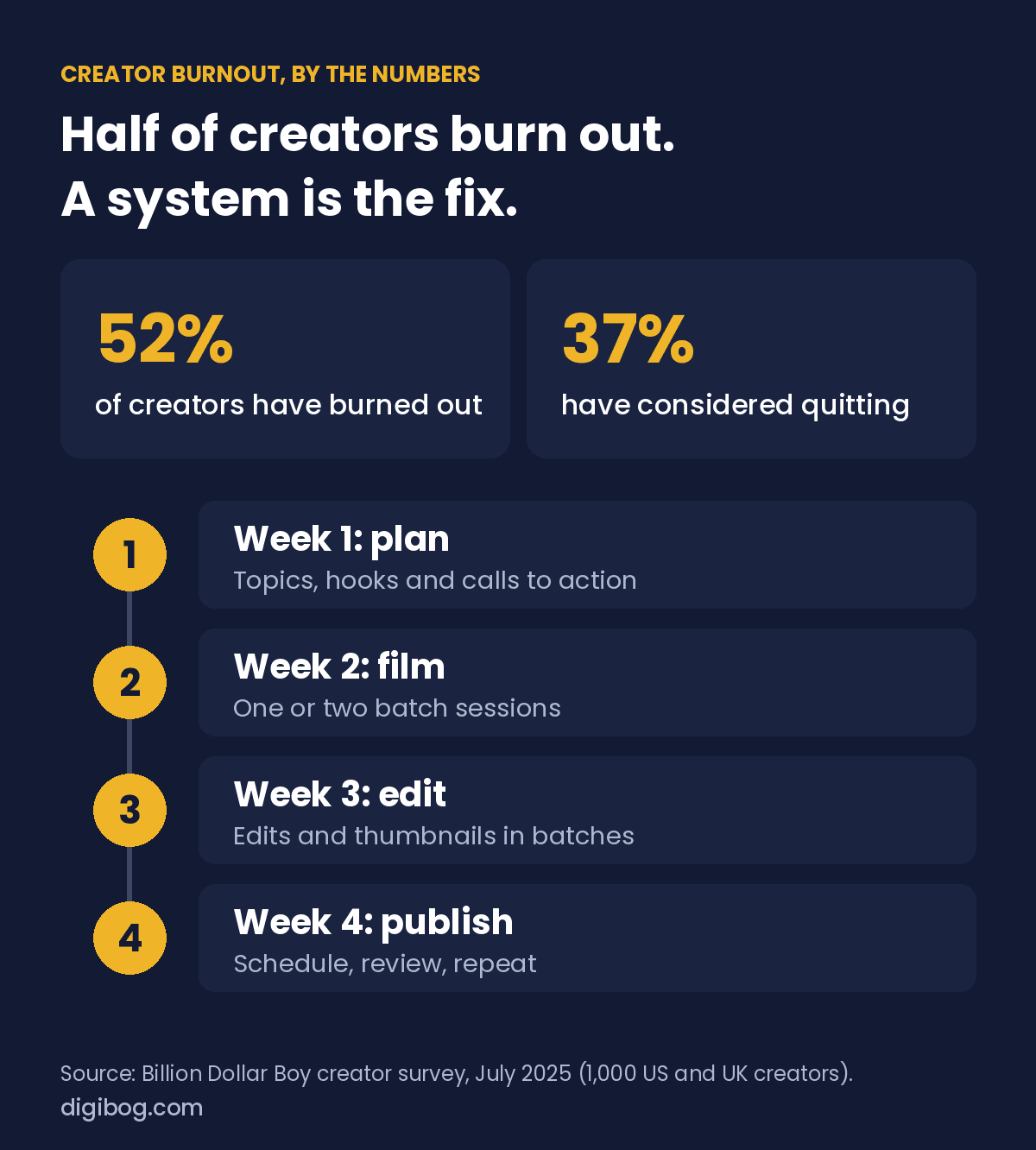
Video is one of the strongest ways to grow an audience, and one of the fastest ways to burn out. In a 2025 survey of 1,000 creators in the US and UK by the agency Billion Dollar Boy, 52% said they had experienced burnout because of their work, and 37% had considered quitting altogether. The fix is not more discipline; it is learning to plan video content in batches instead of producing each upload from scratch.

Why video burnout happens
When every upload starts as a blank page, your brain treats each video as a brand-new project. That constant context-switching drains your energy long before the camera turns on. Add editing, thumbnails, and posting on top, and a single video can eat an entire day. Do that on repeat and burnout is almost guaranteed.
The creators in that survey named money worries as the biggest single cause, and no calendar fixes that on its own. But the daily grind of starting every video from zero is the part a system can remove, and it is the part this guide is about.
How to plan video content for a whole month
Instead of deciding what to film the night before, map an entire month in one planning session. List your topics, group similar videos together, and assign each one a clear hook and call to action in advance. When you plan video content this way, filming becomes execution rather than invention, and you always know what comes next. A month mapped out also lets you spot gaps and balance your topics so the channel feels intentional.
Batch your filming and editing
Batching is the single biggest time-saver in video. Recording four videos in one sitting takes far less energy than recording one video four times, because you set up your lights, camera, and mindset once. Do the same with editing and thumbnails: edit several videos in a row, then design all your thumbnails together. Working in focused blocks keeps you in flow and frees whole days for everything else your business needs.
A simple monthly video workflow
Here is a workflow that stays sustainable. In week one, plan the month and write your hooks. In week two, film in one or two batch sessions. In week three, edit in batches and prepare thumbnails. In week four, schedule everything and review what performed best, then repeat. The exact split matters less than having a rhythm you can keep without scrambling.
Ideas that never run dry
One reason planning feels hard is the fear of running out of ideas. Beat it by keeping a running idea list: answer the questions your audience asks, turn one big topic into a series of smaller videos, revisit your best performers with a fresh angle, and react to what is happening in your niche. With a simple capture habit, you walk into every planning session with more ideas than you can use.
Plan for repurposing from the start
The most efficient creators plan video content with repurposing in mind. A single long video can become several short clips, a carousel, a blog post, and an email. Decide those spin-offs while you plan, not after, and one filming session can feed your entire content calendar for weeks.
A month of video without the Sunday night panic
The Content Creator Video Planner covers the calendar, scripts, batch filming, thumbnails and analytics in one fillable PDF — built around batching, which is what makes thirty days survivable.
See the plannerInstant download · unlimited downloads · no expiry · one payment, no subscriptionBuild your video system
The Content Creator Video Planner gives you a 30-day calendar, script templates, a batch filming scheduler, and a thumbnail planner, everything you need to plan a month of content in one sitting.
Want to multiply that effort? Repurpose every video across platforms with the Social Media Content Calendar, and if YouTube is your main focus, build a long-term plan with the YouTube Channel Strategy Planner. For platform best practices, the official YouTube Creators resources are a useful reference.
Tools that make filming faster
You do not need expensive gear to stay consistent, but a few basics remove friction. A tripod and decent lighting make setup instant, a simple clip-on microphone fixes the most common quality problem, and a teleprompter app keeps your hooks tight. The less effort each session takes to start, the more likely you are to keep your schedule.
Measure what actually matters
Track a small number of signals rather than obsessing over every metric. Watch your click-through rate to judge titles and thumbnails, and average view duration to judge the video itself. If people click but leave early, fix your openings. If they watch but few click, fix your packaging. Reviewing these once a month turns guesswork into a clear plan for the next batch.
Batching without burning out
A month of videos is only sustainable if the work is grouped by type rather than done end to end, one video at a time. This is the same four-week rhythm as above, broken into sessions.
| Session | What you do | Why batch it |
|---|---|---|
| Planning | Choose the whole month of topics and one-line angles | Deciding is the most tiring part. Doing it once protects every other session. |
| Scripting | Write or outline one week’s worth per sitting | You stay in one voice instead of restarting your tone daily |
| Setup | Light, sound, framing, once | The fixed cost of setting up is what makes daily filming exhausting |
| Filming | As many as your energy allows, same setup | Warmed up. The fourth take of the day is usually the best one. |
| Editing | All of one type together | Repetition makes it fast. The tenth edit takes half as long as the first. |
The trap is treating batching as an endurance test. Two four-hour sessions in a week beat one twelve-hour Saturday, because what you record while depleted usually gets rerecorded.
Frequently asked questions
How far ahead should I plan?
Topics a month ahead, scripts a week or two ahead. Further than that and you plan for a version of your audience that has moved on, and you lose the ability to react to anything.
What if I run out of ideas halfway through?
You have run out of new angles, not topics. Revisit your best-performing video and ask what question it left unanswered. That question is usually your next three videos.
Do I need to post daily?
No. A schedule you can hold for six months beats a daily run you abandon in three weeks. Twice a week, reliably, teaches an audience when to expect you.
How do I keep quality consistent across a batch?
Write the checklist once and use it every session: framing, audio check, opening line, call to action. Consistency comes from a checklist, not from remembering.
What if a batch day goes badly?
Stop and reschedule. Pushing through produces footage you will not use, and it teaches you to associate filming with dread, which is the actual thing that ends channels.
Protect your energy
Sustainable output beats heroic bursts. Build rest into your calendar, keep a backlog of a few finished videos for the weeks life gets busy, and give yourself permission to publish good rather than perfect. A creator who is still going in a year will always beat one who burned bright and quit in a month.
Consistency is what grows a channel. A system is what makes consistency sustainable.
Related reading: How to Grow a YouTube Channel With a Real Content Strategy.
About the author. Written by Said Sihame, founder of DigiBog. I make the planners, workbooks and checklists sold on this site, and these articles come out of the same work. Everything here is what I use and test myself — take what fits and leave the rest.