A spreadsheet for finances. An app for tasks. Notes in three different places. Sticky reminders on your desk. If you have ever wished you could just run your business from one place instead of juggling a dozen tools, you are not disorganized. Your tools are scattered.
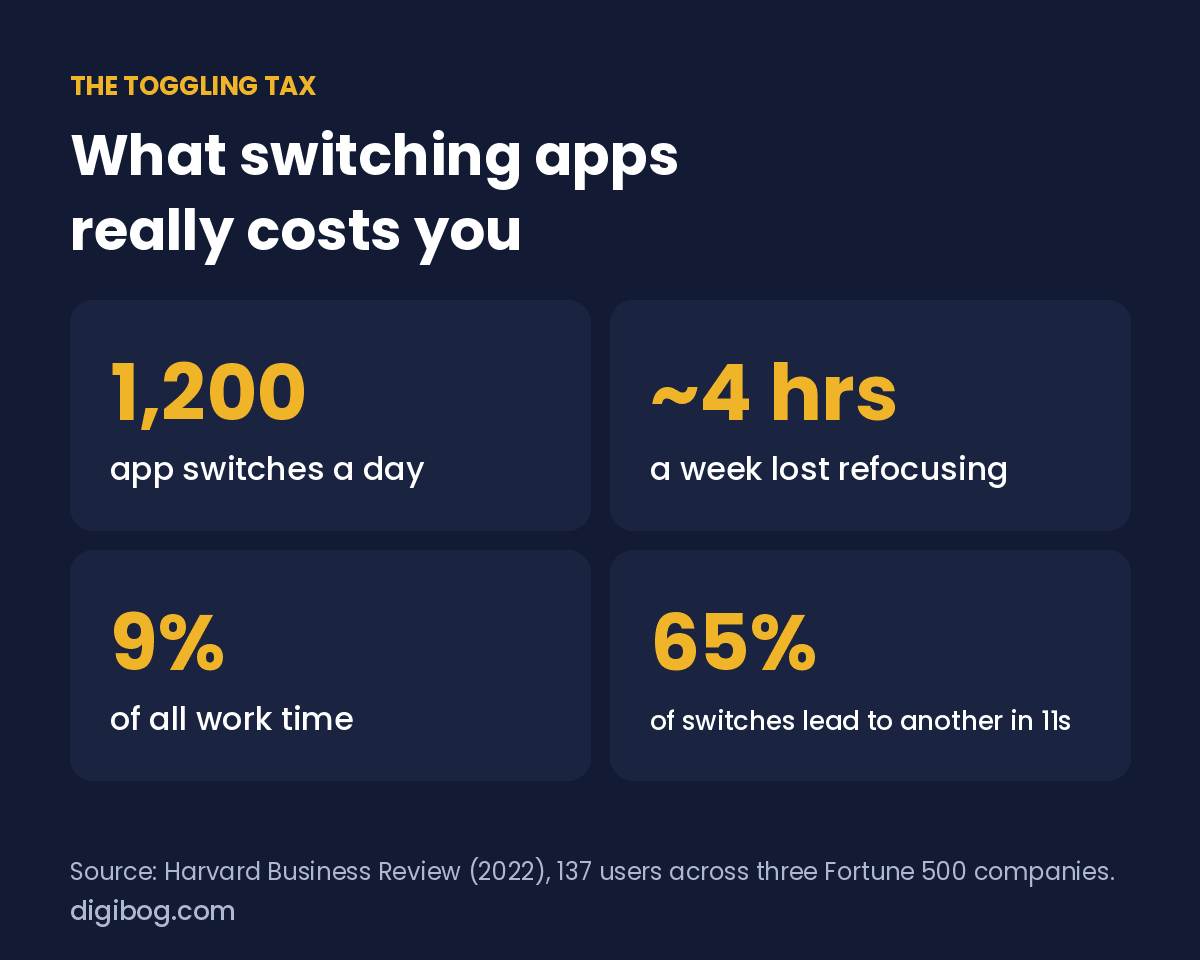
And scattered tools cost more than they seem. A Harvard Business Review study of 137 users at three Fortune 500 companies found they switched between apps and websites about 1,200 times a day, and lost just under four hours a week getting refocused, roughly 9% of their working time.

The hidden cost of switching
Every time you jump from one app to another, your brain pays a small tax. In the study it was only a little over two seconds per switch, which sounds like nothing until you multiply it by 1,200 a day. You lose your place, re-read what you were doing, and burn energy you needed for real work. Researchers call it context switching, and it is one of the quietest drains on a small business owner.
| What was measured | Result |
|---|---|
| App and website switches per day | About 1,200 |
| Time to refocus after each switch | A little over 2 seconds |
| Time lost per week | Just under 4 hours |
| Share of total work time | About 9%, or 5 working weeks a year |
| Switches followed by another within 11 seconds | 65% |
It also creates mistakes. A client detail lives in one app, the invoice in another, the follow-up in a third, and something always slips. The more places your information lives, the more energy you spend just remembering where it is.
And it makes growth harder. When nothing connects to anything else, every new client or project adds more manual updating across more tools. The system that felt fine with five clients quietly buckles at fifteen. If you also feel overwhelmed and stuck, switching is often part of the reason.
What “one place” actually looks like
Running your business from one place does not mean cramming everything into a single note, and it does not mean one tool for literally everything. It means one home where each area of the business has its place: your clients next to your projects, your projects next to your content calendar, and a running view of your money and goals. One look in the morning tells you what is due, who needs a reply and where things stand, without opening five tabs. A few things should stay outside it on purpose, covered below.
How to run your business from one place
The fix is not more apps; it is fewer, working together. When your clients, content calendar, money tracking and projects live in one place, you always know where things stand and what to do next. You stop searching and start doing.
Start by listing every tool you open in a normal week, then ask which ones actually need to be separate. Most of the time, notes, tasks, simple money tracking and planning can live together. A short list of digital tools for small business is a good reference for what to keep. The goal is not perfection on day one; it is steadily pulling scattered pieces into a single hub you trust.
That is the idea behind our Small Business Hub Planner: a fillable PDF that holds projects, clients, money and goals in one file. There is no new app to learn and no subscription, and it sits alongside the few specialist tools you keep.
One place for tasks, clients, money and goals
The Small Business Hub Planner is a 25-page fillable PDF that holds the whole business in one file — projects, clients, money and goals — instead of spread across six apps you pay for separately.
See the plannerInstant download · unlimited downloads · no expiry · one payment, no subscriptionYou do not have to switch everything at once
Moving your whole business into one place can feel like another overwhelming project. It does not have to be. Pick the two tools that cause the most friction this month, maybe your tasks and your client notes, and bring only those together first. Live with that for a couple of weeks. Once it feels natural, fold in the next piece, then the next. Within a month or two the scattered pile has quietly become one calm hub, and you never had to stop working to get there.
It also helps to choose a setup that is flexible rather than rigid. A system you can shape around how you actually work will always beat a stack of narrow apps that each demand you do things their way. The aim is not the most powerful setup; it is the simplest one you will keep using.
And do not underestimate the mental relief. Knowing there is one place to look removes a low hum of background stress, the nagging sense that something is slipping through a crack you cannot see. That calm is not a luxury; it is what lets you think clearly enough to grow.
What to combine, and what to leave alone
Consolidating everything is as bad as scattering everything. Some things belong together and some do not.
| Combine | Why |
|---|---|
| Notes, tasks and project plans | They reference each other constantly. Splitting them means copying context by hand. |
| Client records and communication history | A note about a client is useless if you cannot see what was said around it. |
| Content calendar and content drafts | Planning a post in one place and writing it in another creates two versions of the truth. |
| Keep separate | Why |
|---|---|
| Money | Invoicing and bookkeeping need to survive you changing your mind about everything else. |
| Files and backups | One system failing should never take your work with it. |
| Passwords | A dedicated manager. Never a note inside your all-in-one workspace. |
The pattern: combine things that reference each other daily, separate anything whose loss would be catastrophic. Tracking your income and goals in your hub is fine; the invoicing and bookkeeping themselves belong in a dedicated tool.
Frequently asked questions
Is an all-in-one tool worth the switching cost?
Only if you are losing real time to the current setup. Count the minutes you spend copying information between apps in a week. If it is under thirty, switching will cost more than it saves for months.
How do I move without losing everything?
Move one area at a time, starting with the least critical. Run both systems in parallel for two weeks. Anything you did not open in the old system during those two weeks did not need migrating.
What if the all-in-one is worse at one thing?
Keep the specialist tool for that one thing. “Almost everything in one place” is a perfectly good outcome. Purity is not the goal.
Will I be locked in?
Check the export function before you commit, not after. If a tool cannot produce a normal file containing your data in under a minute, treat that as a warning about everything else.
How do I stop the sprawl coming back?
One rule: before adding a tool, name what it replaces. If nothing gets removed, you are not solving a problem, you are adding a subscription.
Pair it with the right starter tools
If you are a freelancer or just going solo, you also need clean systems for proposals, onboarding and client work. Our Freelancer Starter Kit covers those essentials and slots neatly into the hub, and how to onboard clients like a pro walks through using it.
Once your business lives in one place, the next win is protecting your focus day to day. Many readers add the Productivity with ADHD Workbook to turn a tidy system into consistent daily progress.
You did not start a business to babysit software. Run your business from one place, and get back to the work that matters.
About the author. Written by Said Sihame, founder of DigiBog. I make the planners, workbooks and checklists sold on this site, and these articles come out of the same work. Everything here is what I use and test myself — take what fits and leave the rest.